Embed Sermon on lfcopc.org
Overview
Use the SermonAudio ID to embed the sermon on the lfcopc.org website and fill in relevant details.
Prerequisites
- SermonAudio ID from the previous task
- Website admin/editor access
Steps
1) Open the website editor/page for the service
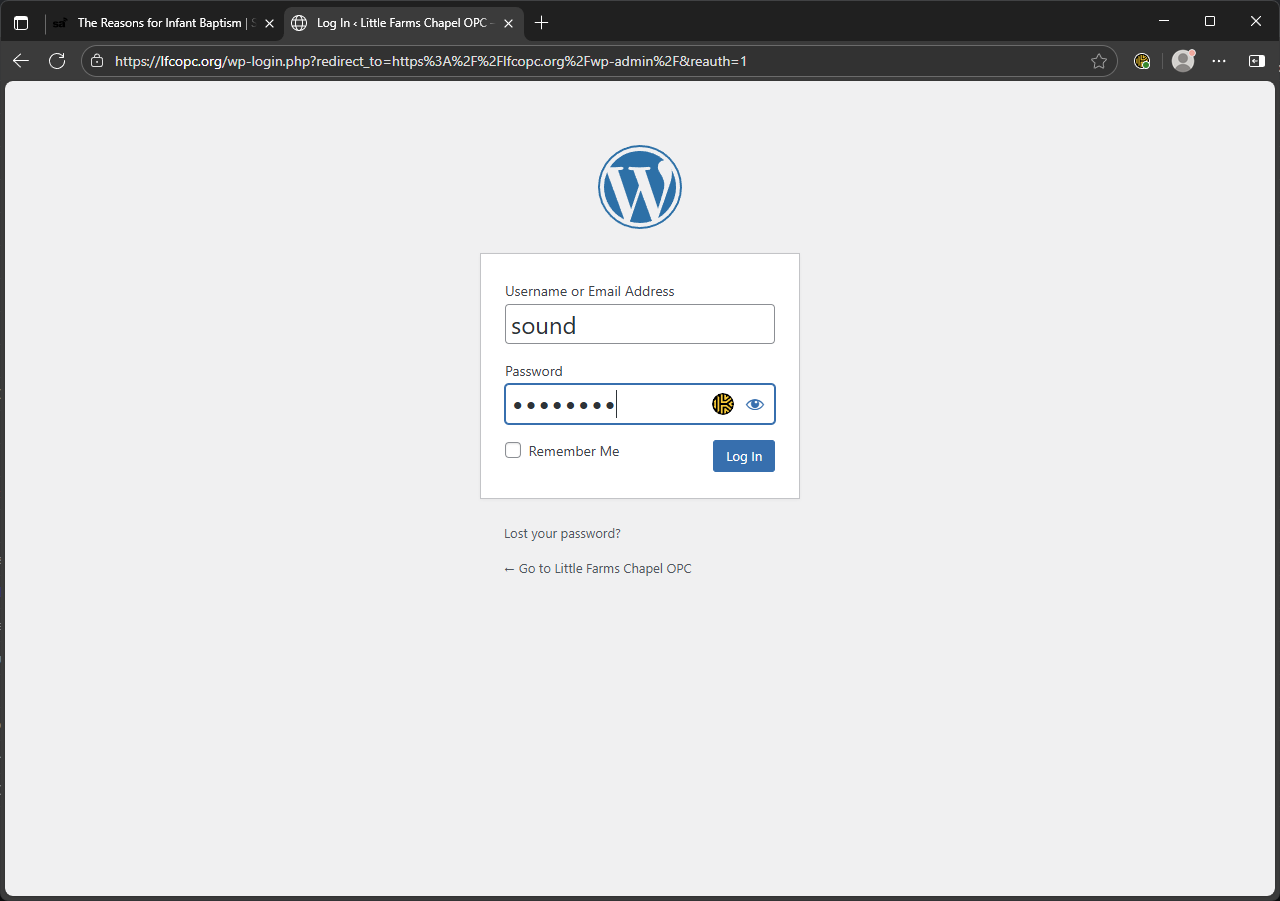
- Log in to the LFC website (https://lfcopc.org/wp-admin/).
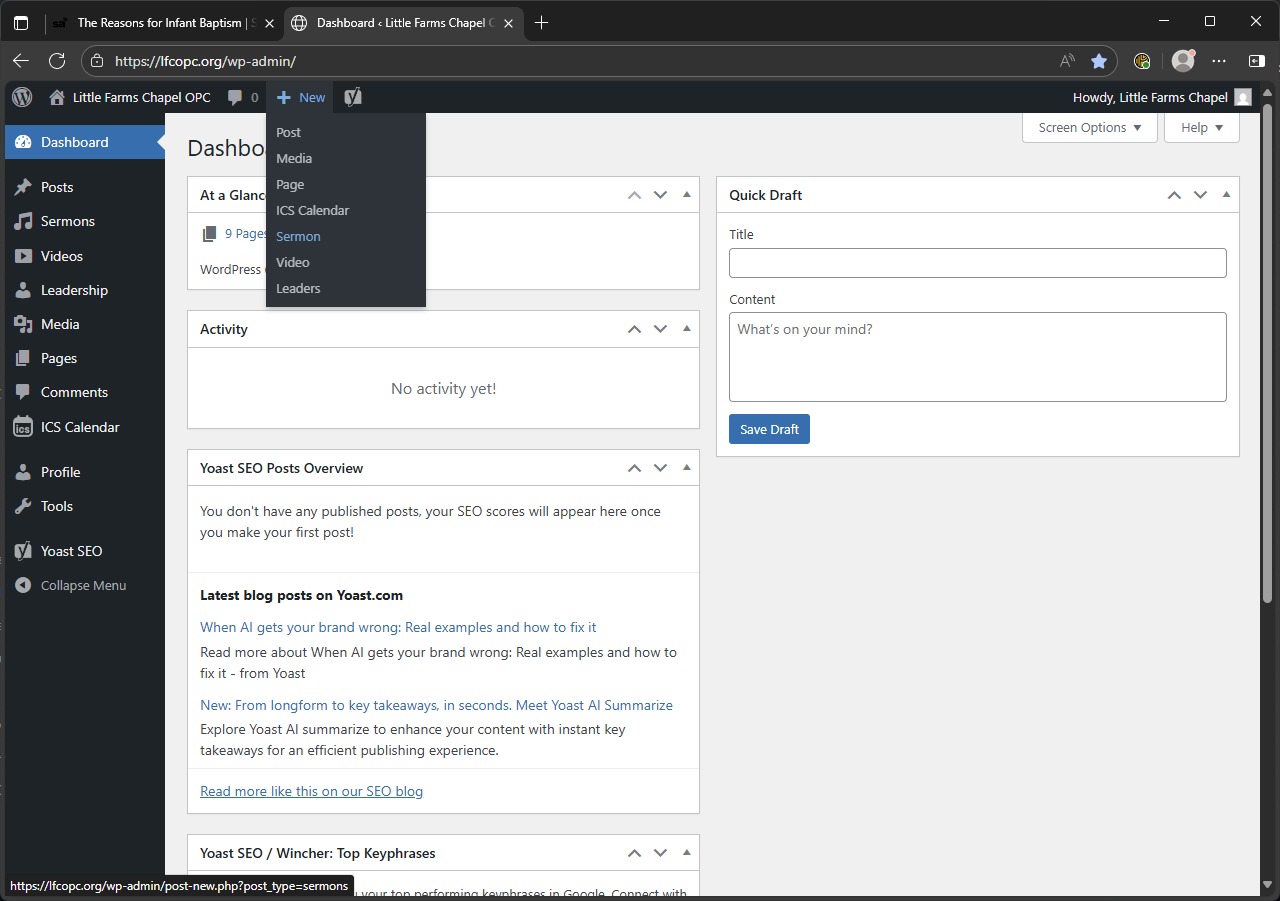
- Hover over “New” and click “Sermon”.
3) Insert the SermonAudio embed using the copied ID
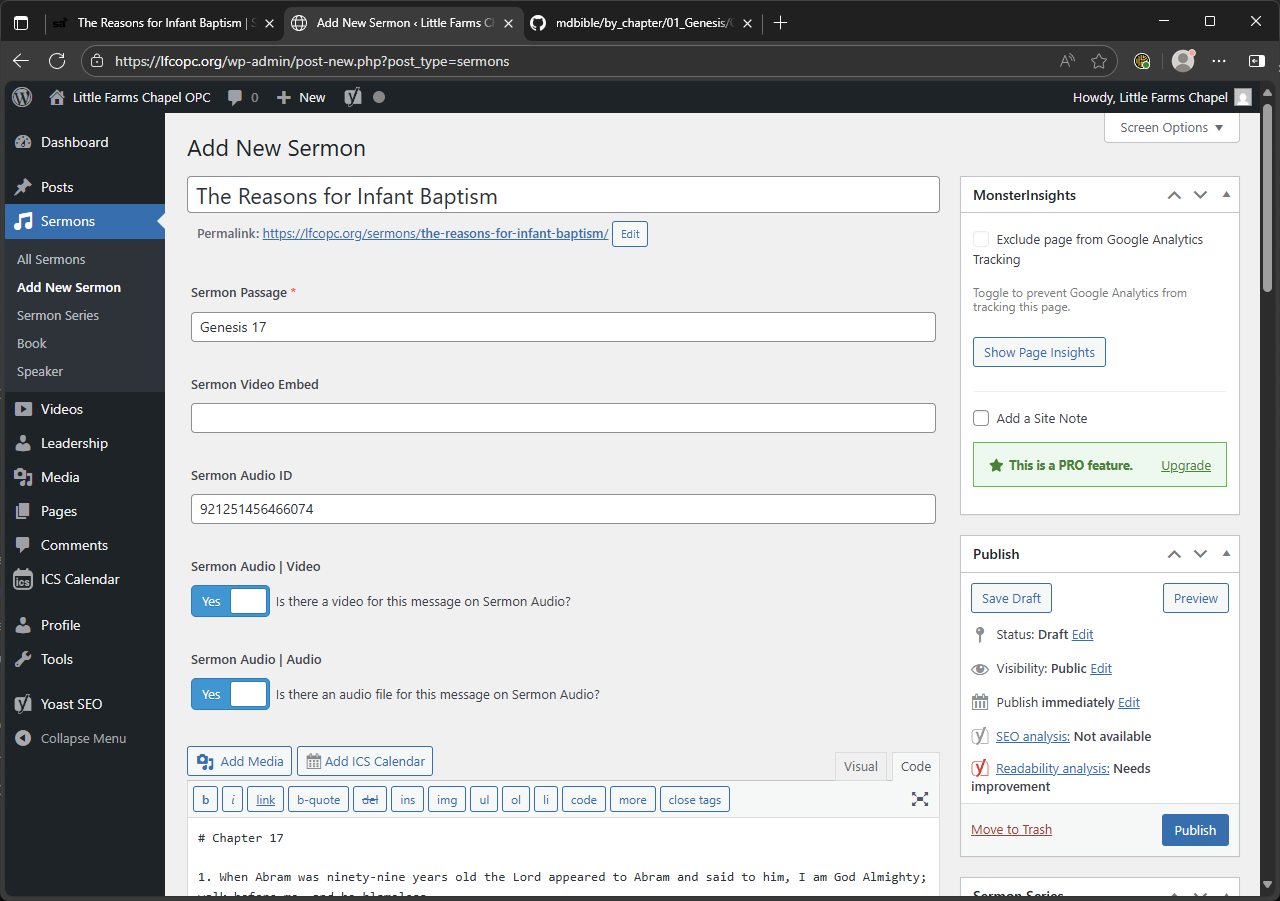
- Paste the copied SermonAudio ID in the “Sermon Audio ID” field.
- Add details (title, passage, series, speaker, book, and check “Video” and “Audio” to yes) and click Publish
- Fill in the page’s title/metadata as needed and publish/update.
Previous: Publish and Copy SermonAudio ID · Next: Add New Song to ProPresenter