layout: default title: “Build ProPresenter AM/PM Playlists” nav_order: 4 description: “Search for and add slides/songs to AM and PM playlists in ProPresenter.” tags: [how-to, live-stream, propresenter] created: 2025-10-13 updated: 2025-10-13 reqs: [“DOC-2”] nav_order: 4
Build ProPresenter AM/PM Playlists
Overview
Prepare the AM and PM service playlists by searching for and adding slides/songs so operators can run the service smoothly.
Prerequisites
- ProPresenter installed and library available
Steps
1) Open ProPresenter and navigate to playlists
- Launch ProPresenter; open the Playlists pane.
- Select the AM or PM playlists.
- Songs and slides from previous services may be in this playlist, simply highlight them in the lower “Items” pane and hit Delete on the keyboard to remove them.
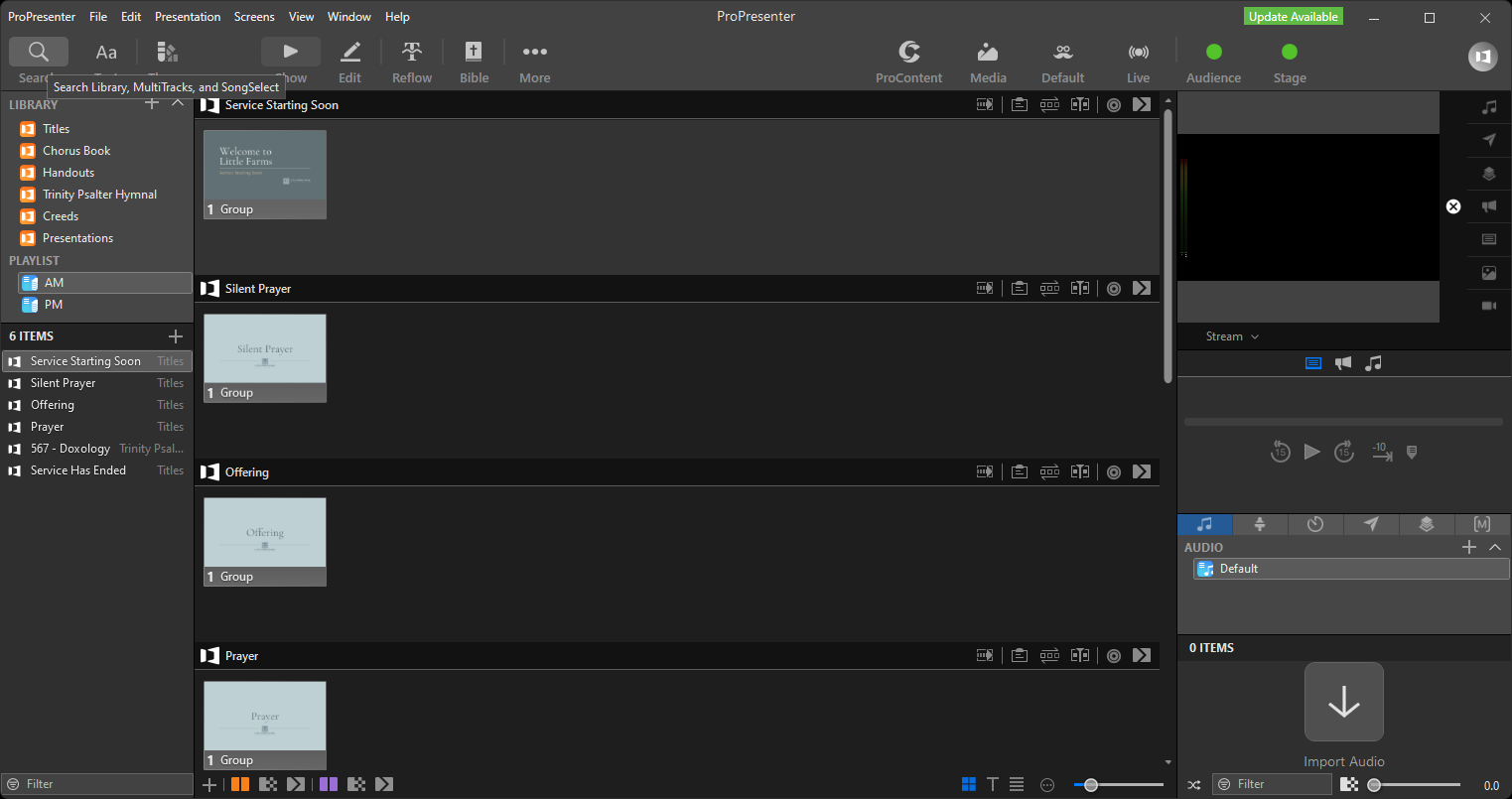
2) Search and add items to the playlist(s)
- Once the Playlists are cleaned up from the previous week.
- Use the search button to find songs/slides in the library.
- Drag items into AM/PM playlists; reorder via drag-and-drop.
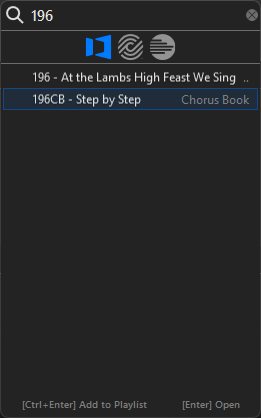
Troubleshooting / Tips
- If items are missing, check the library path and import status
- If the output does not display on the Preview monitor when a slide is selected it means the system had an issue initilizing the video output card and a system reboot usually resolves the issue.
Next Steps
Proceed to Update SermonAudio Webcast Details.
Previous: Restore ATEM Camera Grades · Next: Update SermonAudio Webcast Details