layout: default title: “Update SermonAudio Webcast Details” nav_order: 5 description: “Open SermonAudio, go to Webcasts, and update the title and speaker.” tags: [how-to, live-stream, sermonaudio] created: 2025-10-13 updated: 2025-10-13 reqs: [“DOC-2”] nav_order: 5
Update SermonAudio Webcast Details
Overview
Update the webcast metadata (title, speaker, and other fields) in SermonAudio before going live to ensure accurate listings.
Steps
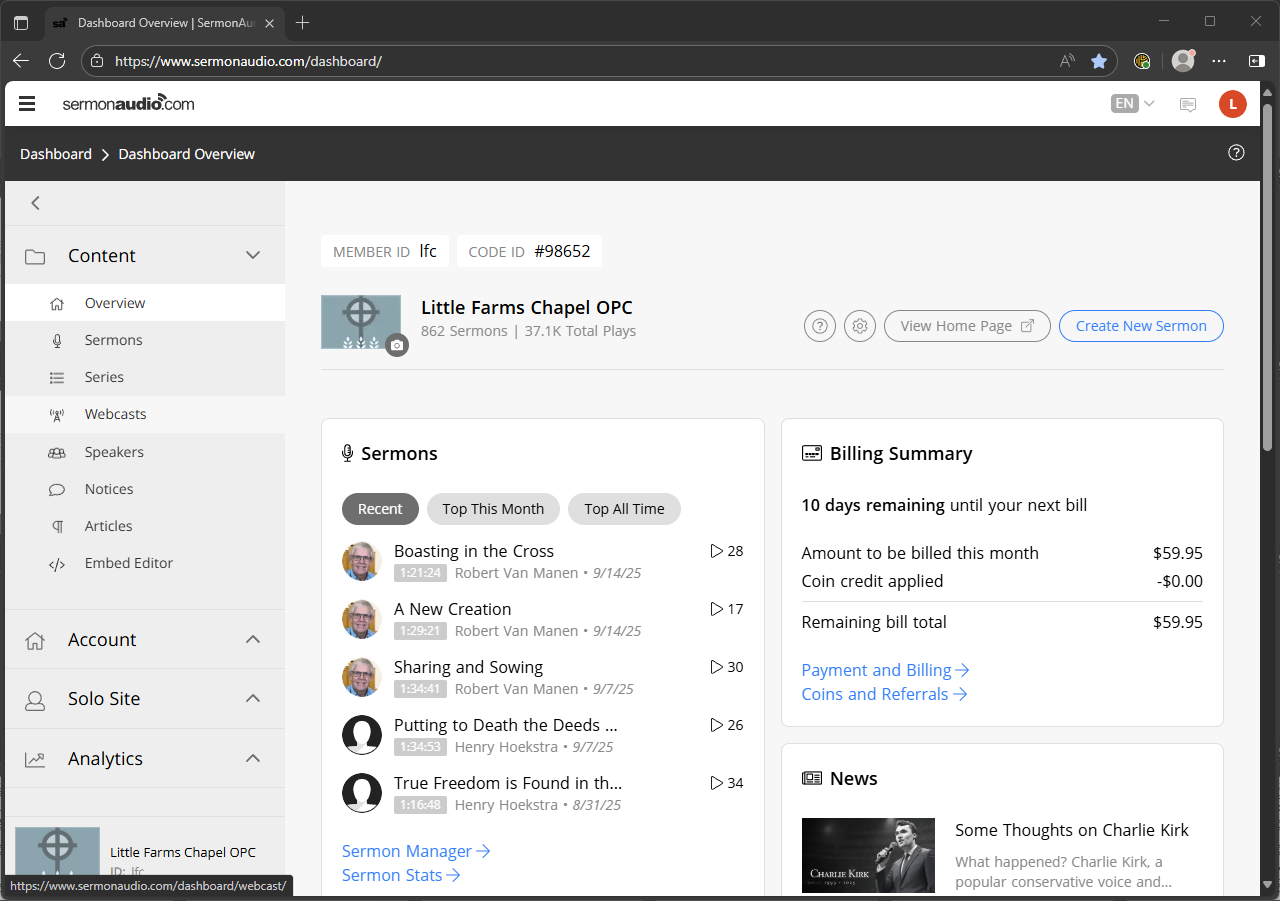
1) Open SermonAudio and navigate to Webcasts
- Log in and choose Webcasts from the left navigation. (https://www.sermonaudio.com/dashboard/)
- The default tab is “Live”.
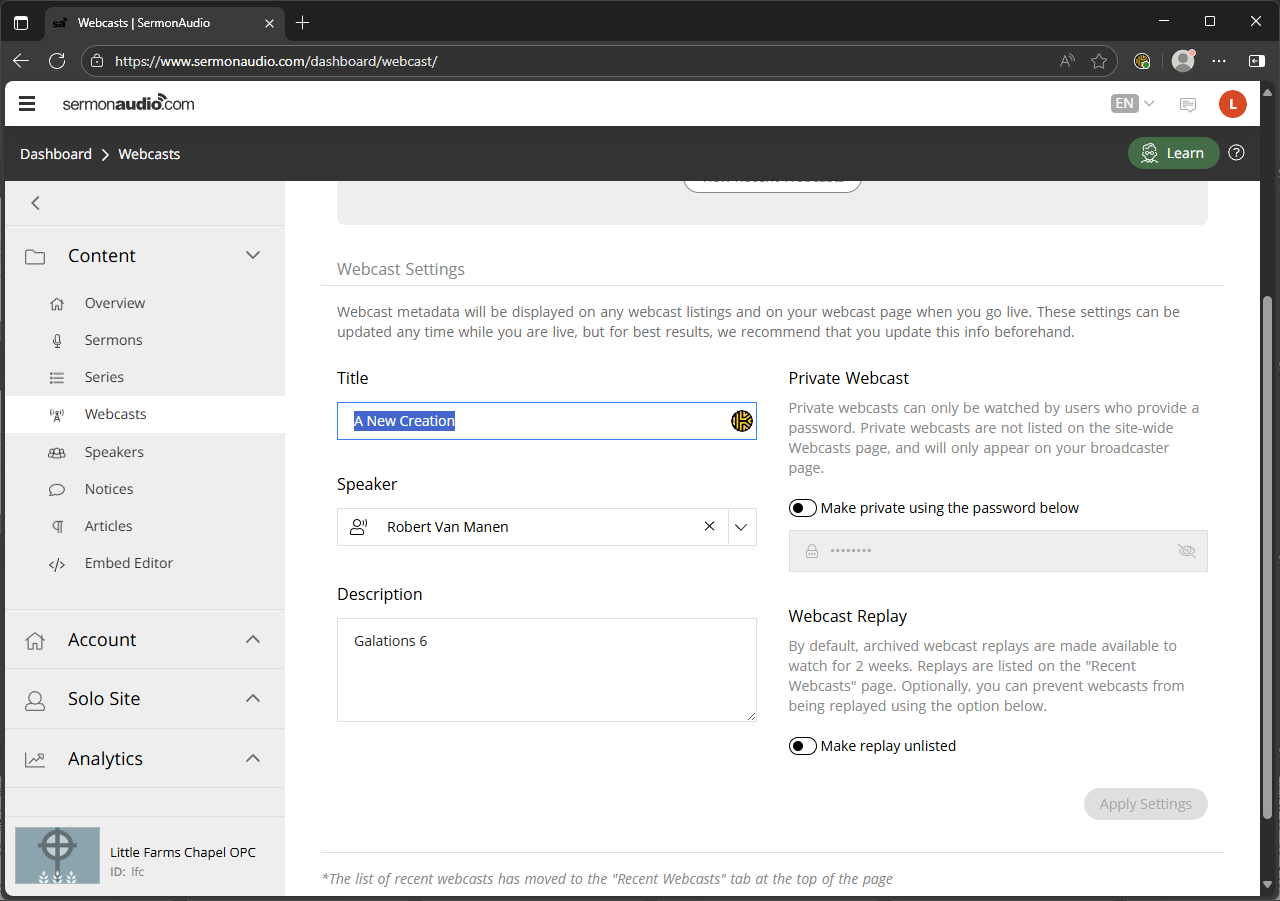
2) Update webcast metadata
- Under Webcast Settings update: Title, Speaker, and add the scripture reference to the Description box.
- “Apply Settings” to save the updates.
Next Steps
Proceed to Verify Live on HELO and Platforms.
Previous: Build ProPresenter AM/PM Playlists · Next: Verify Live on HELO and Platforms